
Enable answer hints
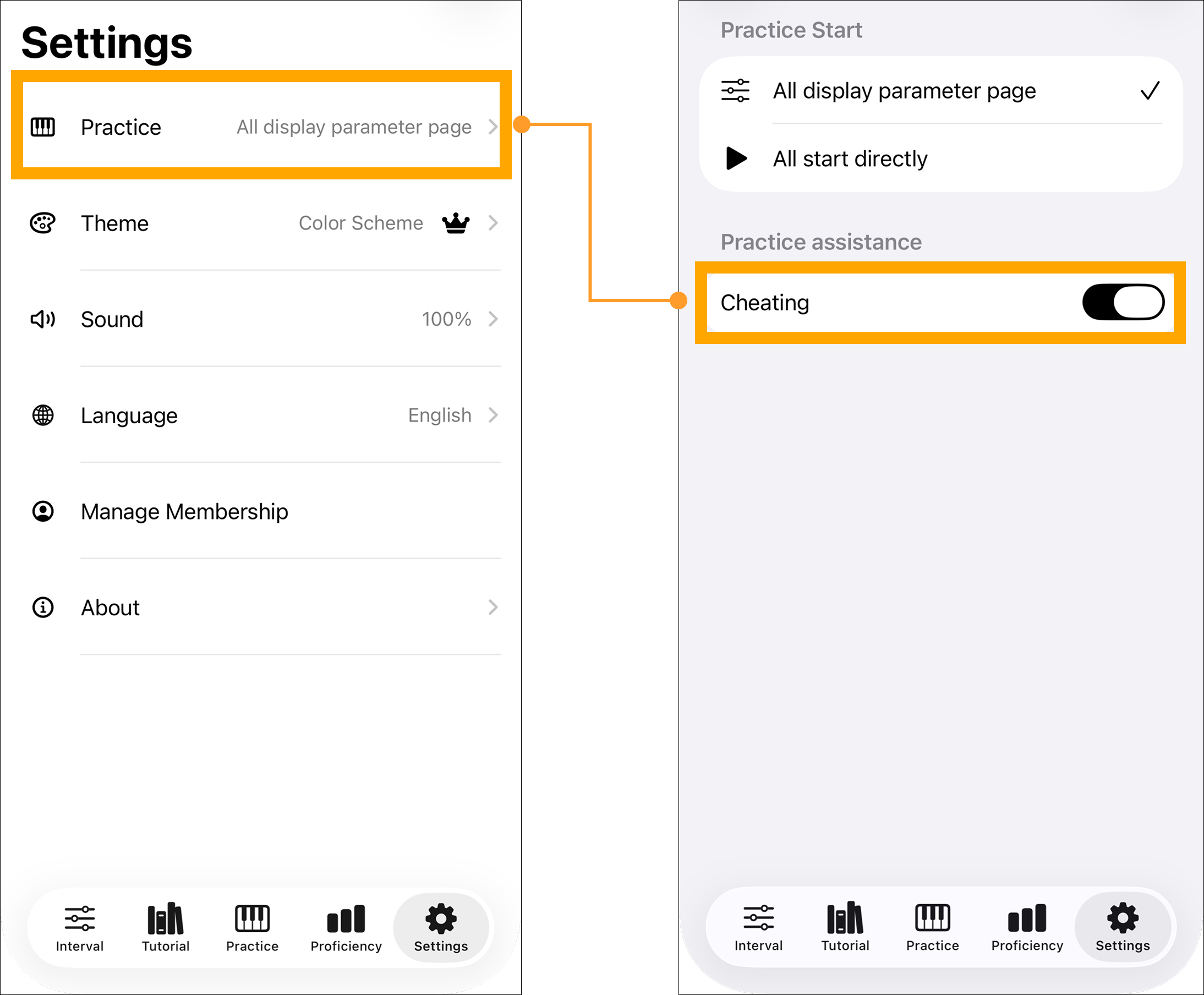
Open Settings > Practice and enable the answer hint under Practice Assistance. This is a membership feature; without a subscription, selecting it opens the membership screen. Return to the same setting to turn it off.
Read the four dots
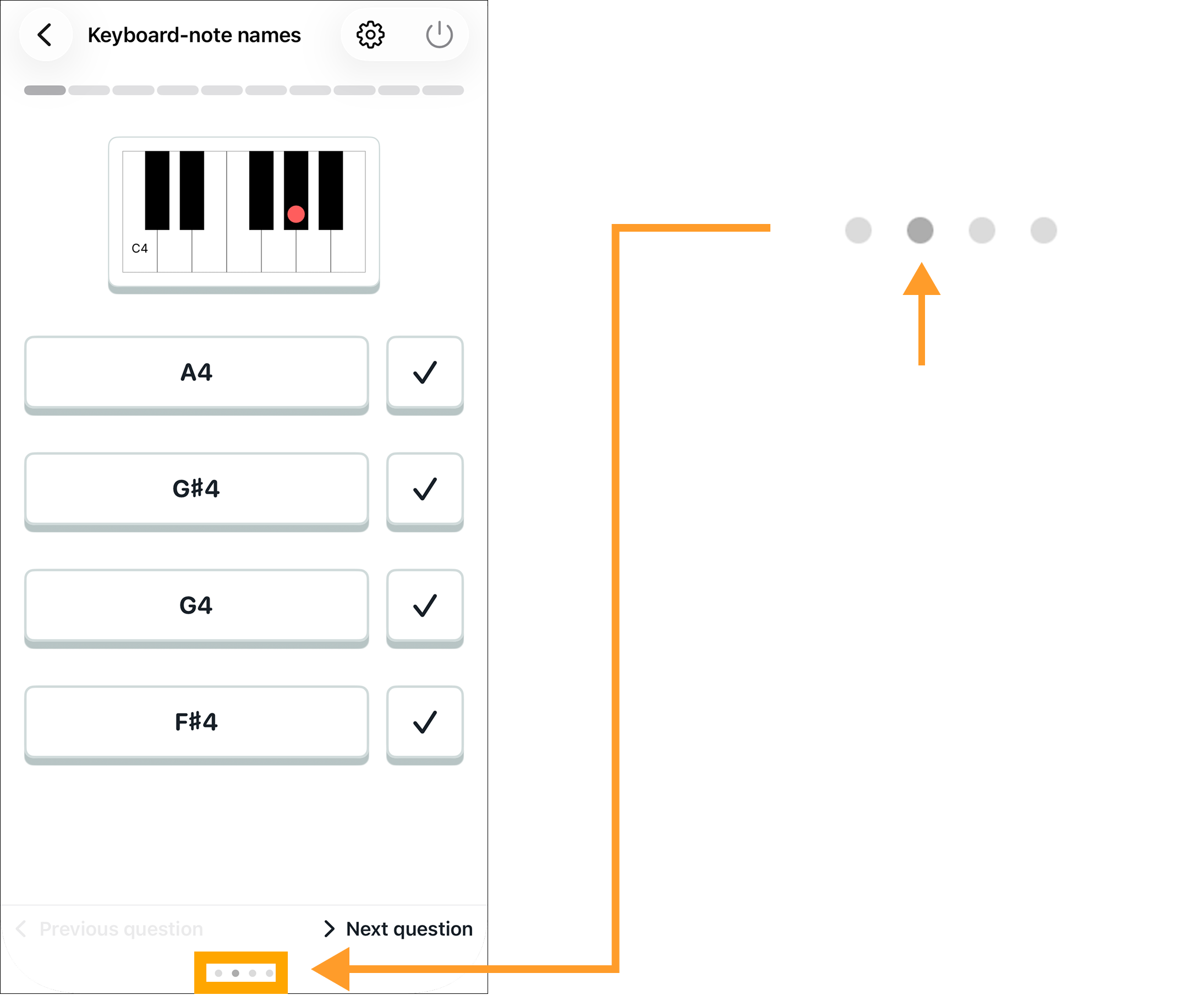
During a question, the four dots at the bottom correspond to the four answer choices from left to right. The darker dot marks the correct choice. The hint disappears when the round ends. It never selects an answer for you; results still reflect your own choices.